
Revit analytical model: finding disconnected nodes before export
Two checks to find and fix disconnected analytical nodes before sending a Revit model for analysis: a view filter, then the error detection of Graitec PowerPack.
A disconnected analytical node cannot be seen in an ordinary Revit view. It shows up at the analysis stage: members supported by nothing, instability warnings, results to redo. It is better to find it before the export.
Here are the two checks I use to do so. The screenshots come from the French version of Revit; the commands are in the same place in the English version.
1. Make disconnected nodes visible
A view filter colours the unconnected nodes. It is set up in three steps.
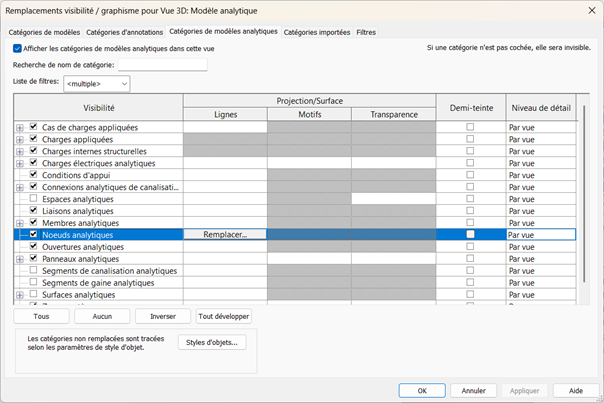
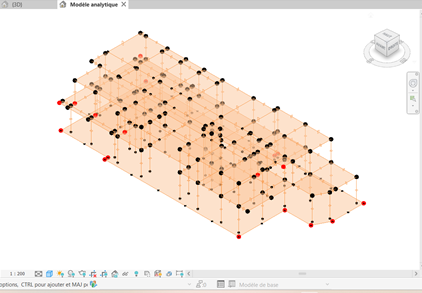
Show the analytical nodes. In Visibility/Graphic Overrides (shortcut VV), turn on the Analytical Nodes category.
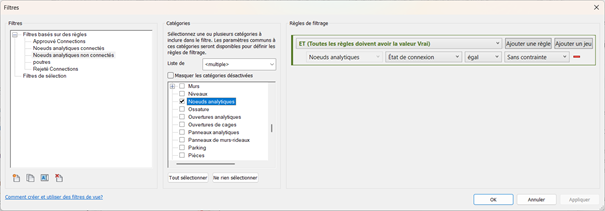
Create the filter. In the Filters tab: category Analytical Nodes, rule Connection Status equals Unconnected.
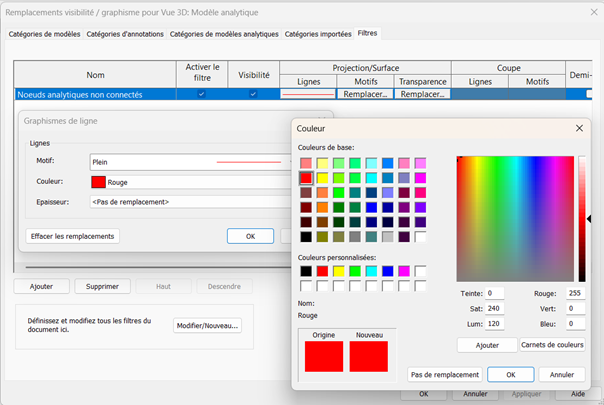
Give it a strong colour, red for example.
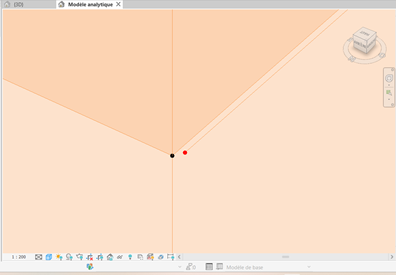
Disconnected nodes then stand out at once, close up as well as across the whole model.
2. List the defects with PowerPack
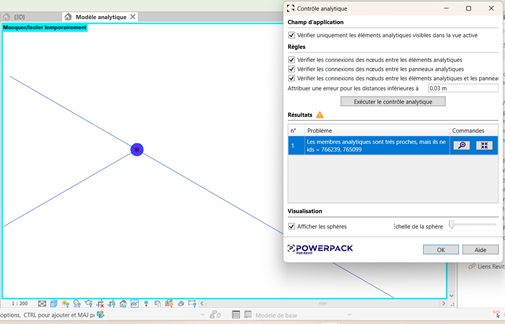
The filter shows the defects; it does not count them. For a complete list, I use the Detect Errors command of Graitec PowerPack for Revit. It flags elements that are too close to be distinct, yet are not connected.
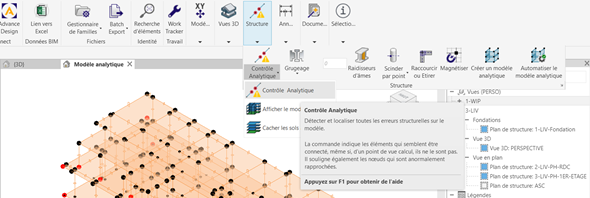
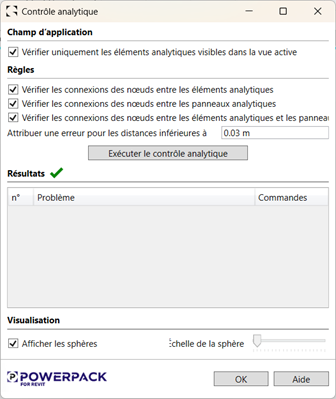
Set the tolerance. I set it to 3 cm (0.03 m): any smaller gap between two elements is reported as an error.
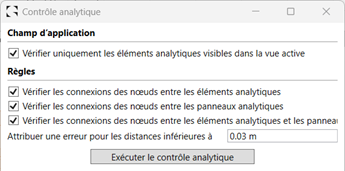
Run the check. The tool lists the problems, with the IDs of the elements involved.
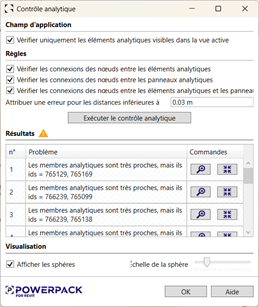
Fix them one by one. Each line can be located in the view. Fix, then run the check again until the list is empty.
In short
The filter supports the modelling work; the PowerPack check validates the model before export. Together, they avoid discovering in Robot a defect that is simpler to fix in Revit.
Further reading
-
Member numbers: from Robot to Revit, automatically
A Dynamo script reads the model open in Robot Structural Analysis and writes each member's number into the Mark parameter of the Revit beams and columns.
Read the article -
Reinforced concrete columns and beams: Revit families ready for Robot
A library of parametric reinforced concrete column and beam families, designed to go from Revit to Robot Structural Analysis without re-entering data.
Read the article